
Latest Hacking methods, Hacking Sotware's,facebook / yahoo / gmail ID hack.......

...

Sunday, 29 March 2020

Best Operating Systems For Ethical Hacking And Pen Testing (2020 new list) Recomended

13:57 0
Best Operating Systems For Ethical Hacking And Pen Testing (2020 new list) Recomended
Favourite Operating Systems Of Hackers - ethical hacking operating systems

Like to learn about computer and network security or to find vulnerabilities in your network or are you searching for best-operating systems for ethical hacking and pen testing or like to know which is the favorite operating system of hackers? — then stop! Here is the list of most widely using infamous ethical hacking operating systems or we can say digital forensic tools.
Almost all the best ethical hacking operating systems for security experts are based on Linux kernel, so favorite operating systems of all types of hackers are always Linux — though security-focused operating system is a security analyst’s best friend. But also keep in mind that, simply having these operating systems doesn’t make anyone a security expert or hacker — you should also learn some essential programming languages to enrich your knowledge in this field.
Note : Only For Educational Purposes
Listed operating systems are for educational purposes only. Do not try to use it if it’s not legal in your country. And also not use them to harm anybody or to gain unauthorized access to any account you do not own. Use this software only for analyzing your own security. I do not take any responsibility for anything you do using this application. Use at your own risk.

1. Kali Linux


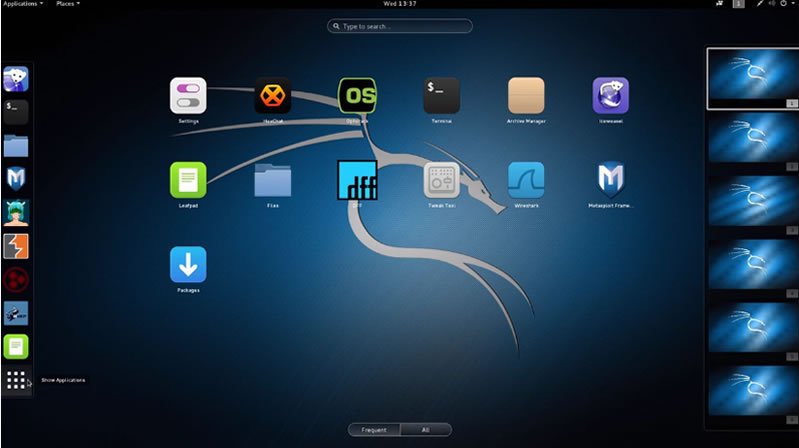
kali linux operating system
Kali Linux maintained and funded by Offensive Security Ltd. is one of the well-known and favorite ethical hacking operating systems used by hackers and security professionals. Kali is a Debian-derived Linux distribution designed fReal hackers or digital forensics and penetration testing. It was developed by Mati Aharoni and Devon Kearns of Offensive Security through the rewrite of BackTrack, their previous forensics Linux distribution based on Ubuntu.
Apart from desktop support, Kali Linux also has a dedicated project set-aside for compatibility and porting to specific Android devices, called Kali Linux NetHunter. When comes to security tools, this top ethical hacking operating system is equipped with 600+ preinstalled pen testing tools and they are frequently updated and are offered for different platforms like ARM and VMware. Now Kali Linux is based on a rolling release model.

2. BackBox


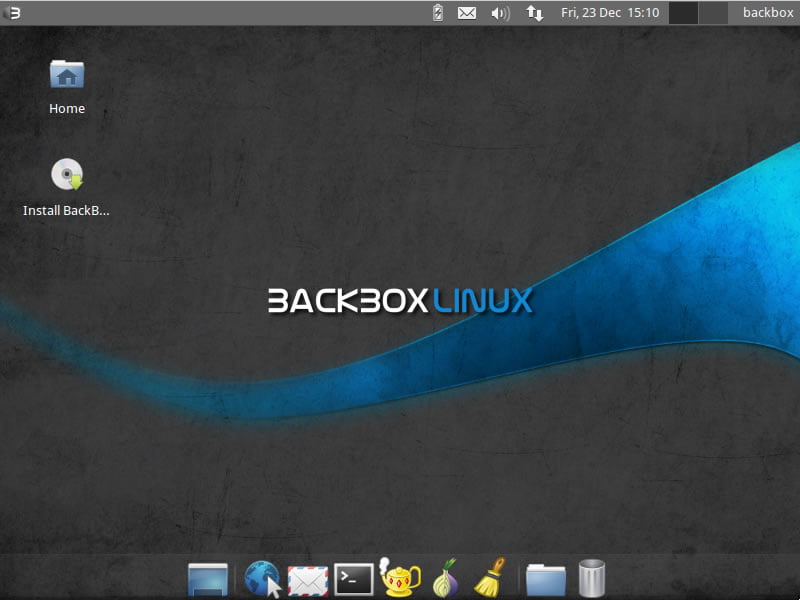
backbox operating system
BackBox is an Ubuntu-based penetration testing Linux distribution. It provides penetration test and security assessment oriented providing a network and informatics systems analysis toolkit along with a complete set of other tools required for ethical hacking and security testing.
It includes some of the most used security and analysis Linux tools to help out security experts from stress tests to sniffing including vulnerability assessment, computer forensic analysis, and exploitation.

3. Parrot Security OS


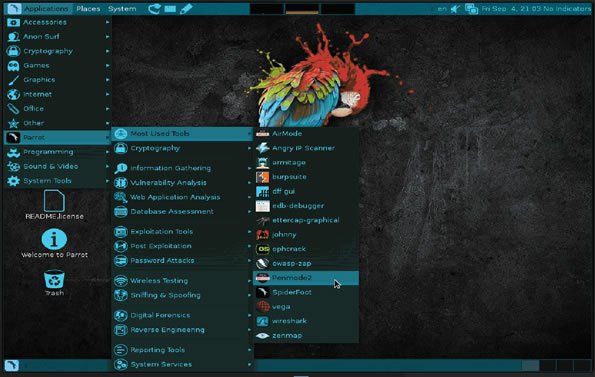
parrot security os
Parrot Security OS (or ParrotSec) is a GNU/LINUX distribution based on Debian. This Linux distribution for hackers is built in order to perform penetration testing, vulnerability assessment and mitigation, computer forensics and anonymous surfing. It has been developed by Frozenbox’s Team.
Parrot is cloud-friendly Linux distribution and unlike other ethical hacking operating systems, Parrot OS is a lightweight Linux distro —  runs over machines which have minimum 265Mb of RAM and it is suitable for both 32bit (i386) and 64bit (amd64), with a special edition it works on old 32bit machines (486).

4. Live Hacking OS


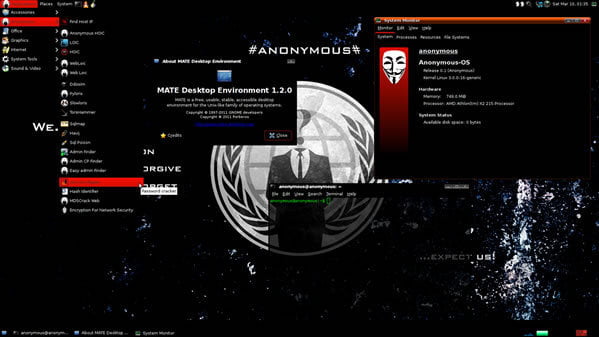
live hacking os
Live Hacking OS is a Linux distribution packed with tools and utilities for ethical hacking, penetration testing and countermeasure verification. It includes the graphical user interface GNOME inbuilt. There is a second variation available that has command line only, and it requires very fewer hardware requirements.

5. DEFT Linux


DEFT Linux
DEFT stands for Digital Evidence and Forensic Toolkit and it’s an open-source distribution of Linux built around the DART (Digital Advanced Response Toolkit) software and based on the Ubuntu operating system. It has been designed from the ground up to offer some of the best open-source computer forensics and incident response tools that can be used by individuals, IT auditors, investigators, military, and police.

6. Samurai Web Testing Framework


samurai web testing framework
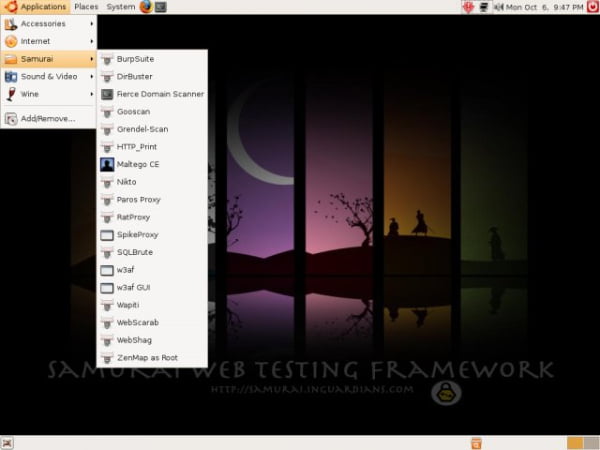
The Samurai Web Testing Framework is a live Linux environment that has been pre-configured to function as a web pen-testing environment. The CD contains the best of the open-source and free tools that focus on testing and attacking websites. In developing this environment, we have based our tool selection on the tools we use in our security practice. We have included the tools used in all four steps of a web pen-test.

7. Network Security Toolkit


Network Security Toolkit
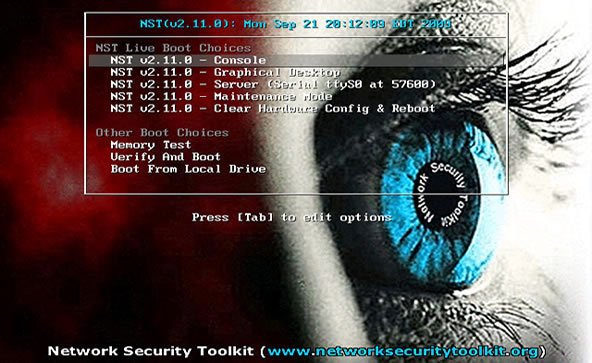
The Network Security Toolkit (NST) is a Linux-based Live CD that provides a set of open-source computer security and networking tools to perform routine security and networking diagnostic and monitoring tasks. The distribution can be used as a network security analysis, validation and monitoring tool on servers hosting virtual machines. The majority of tools published in the article “Top 125 security tools” by Insecure.org are available in the toolkit.

8. Bugtraq-II


bugtraq
Bugtraq-II is a GNU/Linux distribution focused on digital forensics, penetration testing, malware laboratories, and GSM forensics. Bugtraq-II is available in 11 languages with more than 500 ethical security hacking tools installed and configured. Depending on your desktop environment, the features vary. The minimum requirements are based on XFCE and KDE, this ethical hacking os needs 1GHz x86 processor & 512 MB of system memory 15 GB of disk space for installation.

9. NodeZero


nodezero
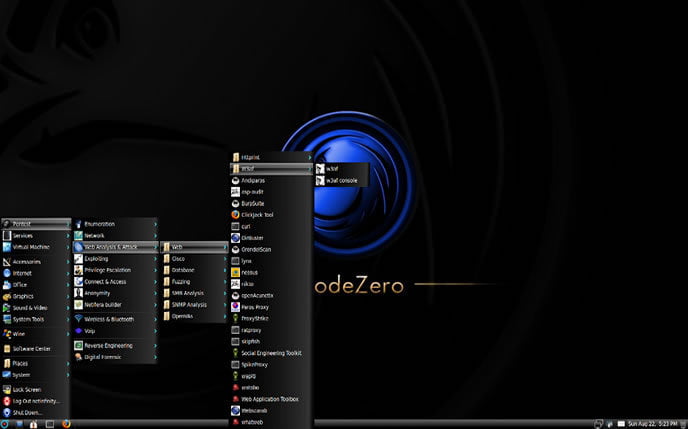
NodeZero is an open-source Linux kernel-based ethical hacking operating system derived from Ubuntu and designed to be used for penetration testing operations. Besides the fact that it allows you to start the live system, the boot menu contains various advanced options, such as the ability to perform a system memory diagnostic test, boot from a local drive, start the installer directly, as well as to boot in safe graphics mode, text mode or debug mode.
With NodeZero you will have instant access to over 300 penetration testing tools, as well as a set of basic services that are needed in penetration testing operations.

10. Pentoo


pentoo
Pentoo is a Live CD and Live USB designed for penetration testing and security assessment. Based on Gentoo Linux, Pentoo is provided both as 32 and 64 bit installable LiveCD. Pentoo is also available as an overlay for an existing Gentoo installation. The Pentoo kernel includes grsecurity and PAX hardening and extra patches – with binaries compiled from a hardened toolchain with the latest nightly versions of some tools available.

11. BlackBuntu


blackbuntu
BlackBuntu is penetration testing distribution with GNOME Desktop Environment which was specially designed for security training students and practitioners of information security. It’s currently being built using the Ubuntu 10.10 and work on reference BackTrack.

12. Cyborg Hawk Linux


Cyborg Hawk Linux
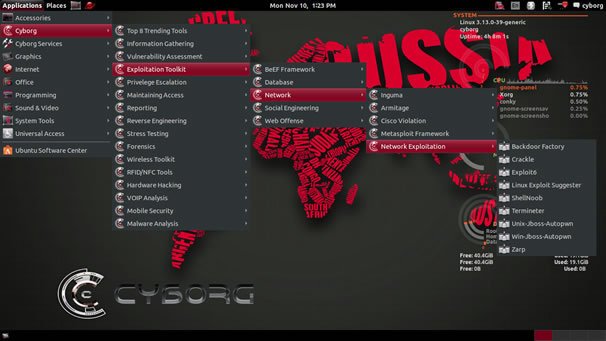
CYBORG HAWK LINUX is a Ubuntu-based hacking operating system created by the team of Ztrela Knowledge Solutions Pvt. Ltd. Cyborg Hawk penetration testing distro can be used for network security and assessment and also for digital forensics. It has various tools also fit for the Mobile Security and Wireless testing. It has 700+ tools while other penetration distros has 300+ and also dedicated tools for and menu for mobile security and malware analysis.

13. Knoppix STD


Knoppix STD
STD is a Linux-based Security Tool used by hackers. Actually, it is a collection of hundreds if not thousands of open source security tools. It’s a Live Linux distro and its sole purpose in life is to put as many security tools at your disposal with as slick an interface as it can. STD is meant to be used by both novice and professional security personnel but is not ideal for the Linux uninitiated.

14. Weakerthan


weakerthan
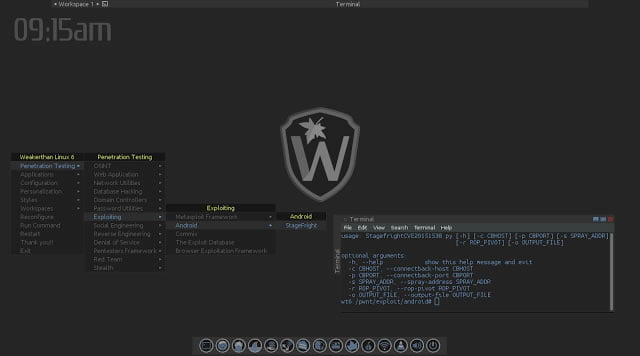
Weakerthan is another hacking distribution which is built from Debian Squeeze. For the desktop environment, it uses Fluxbox. This ethical hacking OS is ideal for WiFi hacking as it contains plenty of Wireless tools. It has a very well maintained website and a devoted community.

15. BlackArch Linux


Favourite Operating Systems Of Hackers - BlackArch Linux
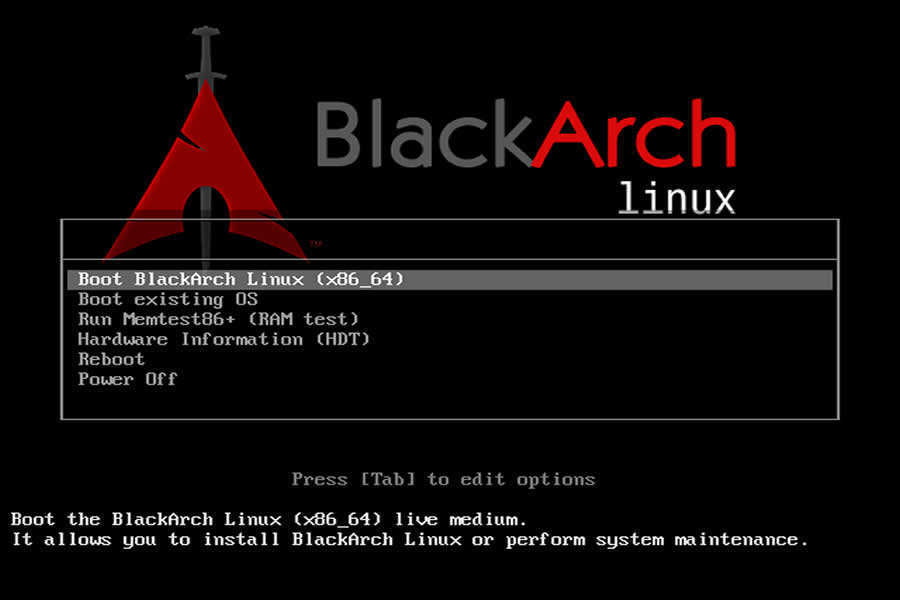
BlackArch Linux -an Arch Linux-based ethical hacking operating system for penetration testers and security researchers. The new version also has a total of 1400 penetration testing tools with the old ones updated and the new ones added, making it a must-have download for hackers and security researchers.

16. Matriux Linux


Favourite Operating Systems Of Hackers - Matriux Linux
Matriux Linux – a Debian-based security distribution designed for penetration testing and hacking. Although suited best for hackers, it can also be used by any Linux user as a desktop system for day-to-day computing. Matriux has more than 300 open source tools for penetration testing and hacking. Since its the new one, many security researchers claims that it is a better alternative to Kali Linux.

17. Dracos Linux


Dracos Linux - ethical hacking operating system
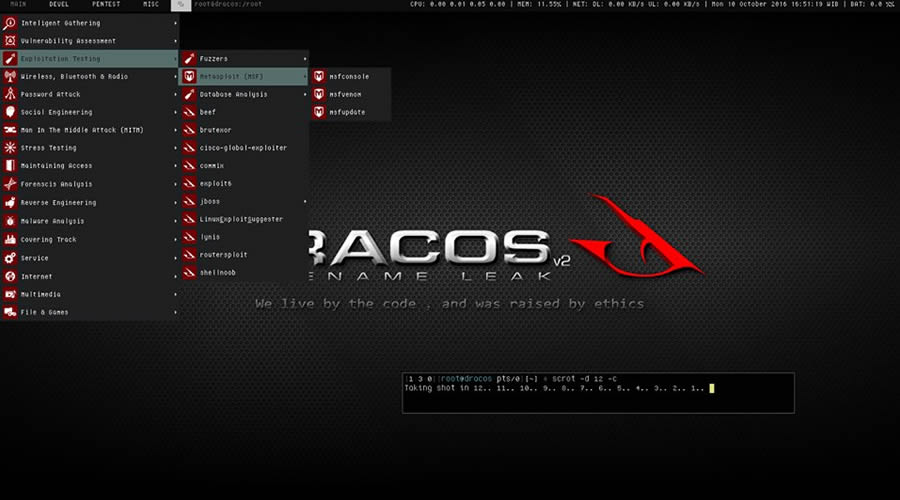
Dracos Linux — another favourite operating system of hackers that surfaced from Indonesia built based on the Linux from scratch. Dracos is built to be fast, strong, and powerful OS which is used to perform security testing (penetration testing). Powered by hundreds of pentest tools including information gathering, forensics, malware analysis, maintaining access, and reverse engineering, Dracos Linux is one of the best choices of hacker’s operating system.

18. Fedora Security Lab


Fedora Security Lab - ethical hacking os
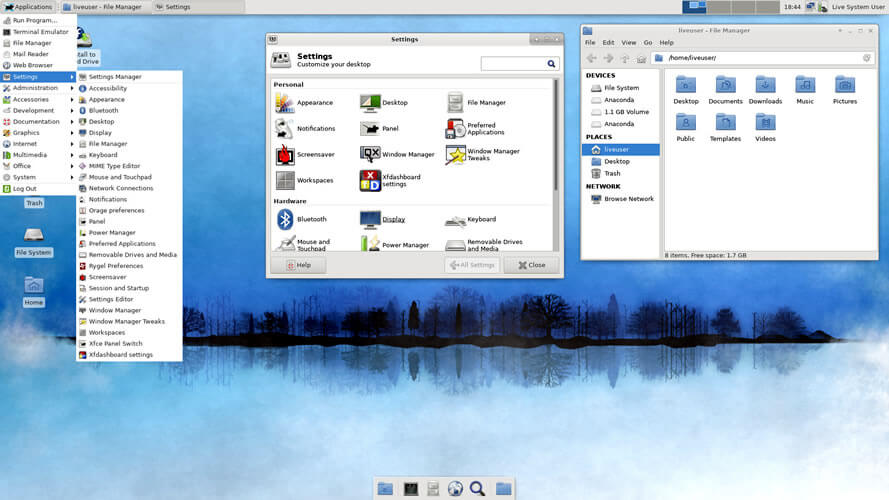
Fedora Security Lab comes with the clean and fast Xfce Desktop Environment and essential set of tools like — Wireshark, Sqlninja, Yersinia, Medusa, etc — to follow a proper test path for security and pen-testing. Fedora Security Lab is maintained by a community of security testers and developers.

19. Caine


Caine - ethical hacking os
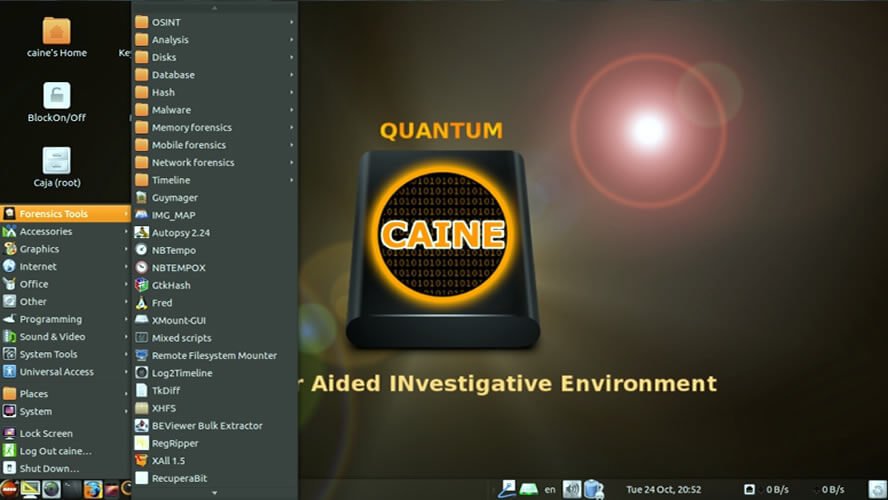
Caine — Computer-Aided Investigation Environment — is an Ubuntu-based GNU/Linux live distribution created for ethical hackers and digital forensics experts. It provides a complete forensic environment with a friendly graphical interface.

20. ArchStrike


ArchStrike Linux - ethical hacking os
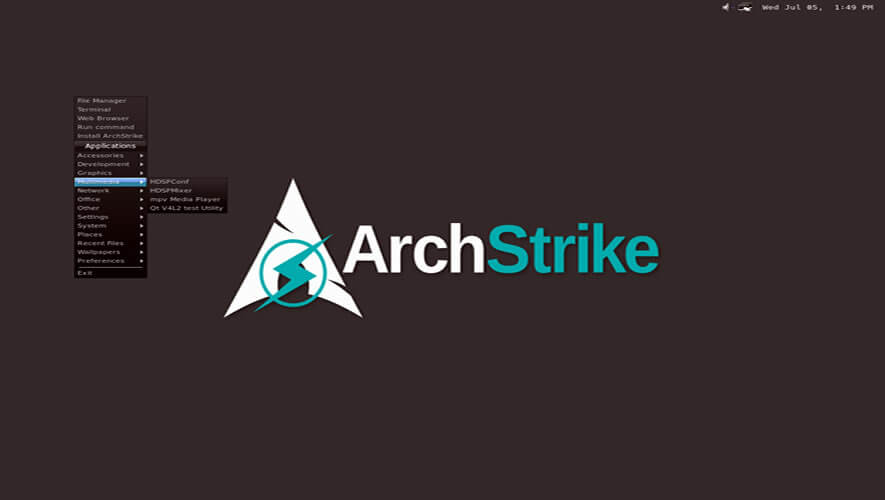
ArchStrike is one of the perfect Arch Linux based ethical hacking operating systems for security experts. ArchStrike provides a live desktop environment based on the Openbox window manager along with an extra repository of security software of 32-bit and 64-bit builds.

21. URIX OS


URIX OS - ethical hacking os
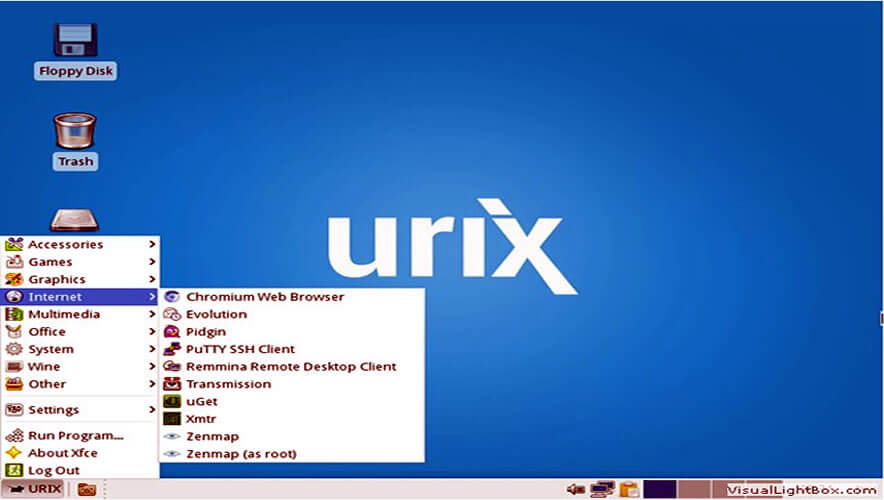
URIX OS is a security-focused ethical hacking distribution based on openSUSE. In URIX OS security is strengthened by removing servers and closing incoming ports. The distro also provides several penetration tools for testing purposes.
That’s all!! If you think we forget to add some other favourite operating systems of hackers, please comment below. And also soon we will add more ethical hacking operating systems to the list.

Top 10 hacking softwares/ Tools used For hacking in 2020

13:43 1
Top 10 hacking softwares/ Tools used For hacking in 2020

Here are the 10 Best Hacking Tools For Windows 10

If you think that Kali Linux is the only OS (operating system) for hacking then you might be thinking wrong. Why? because the Due to the overexposure of hacking in the past few years, many tools have landed in the market for windows.
So if you are interested in hacking but don’t want to install Linux for that, then you are at the right place because here, In this article, we have shortlisted some of the best hacking tools for Windows 10 which might help you to get started with your ethical hacking career.
These hacking tools include some of the best free hacking tools and the paid once for hacking wifi, password cracking and software related to networking with download links.

1. Wireshark

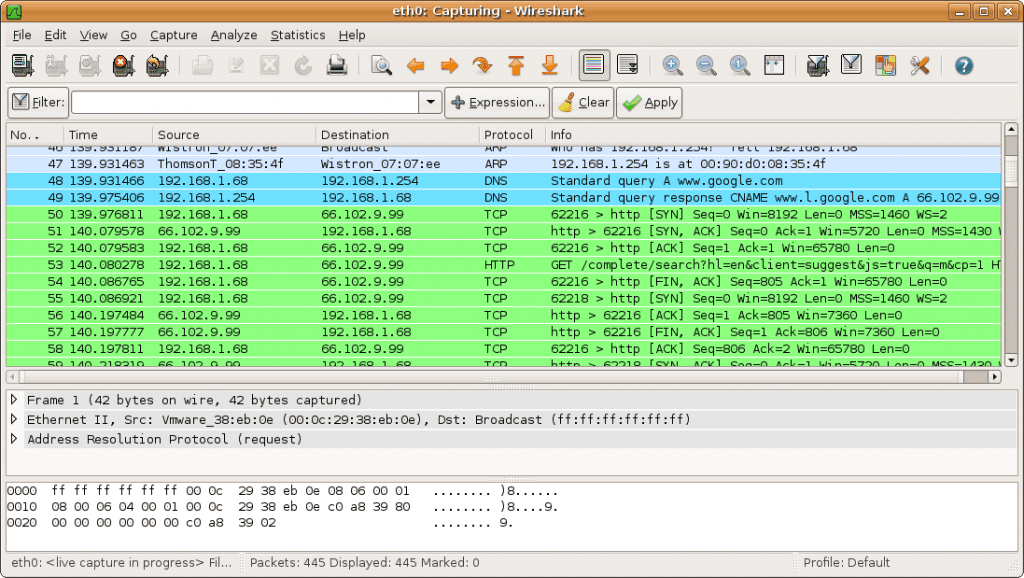
wire shark- 5 Best Hacking Tools For Windows 10ireshark i the networking mapping application which provides you with all the information related to what is mapping on your network and how’s that mapping.

It also provides information related to cookies such as how many cookies are getting installed and where are packets flowing and much more. Not only that You can also perform phishing, keylogging and men-in-the-middle attacks from this tool.
It was originally named Ethereal.
It’s absolutely free and open-source tool which also comes in a command-line version called TShark.
Wireshark is a GTK+-based Wireshark network protocol analyzer or sniffer, that lets you capture and interactively browse the contents of network frames. In conclusion, works best on both Linux and Windows.

2. Social-Engineer Toolkit

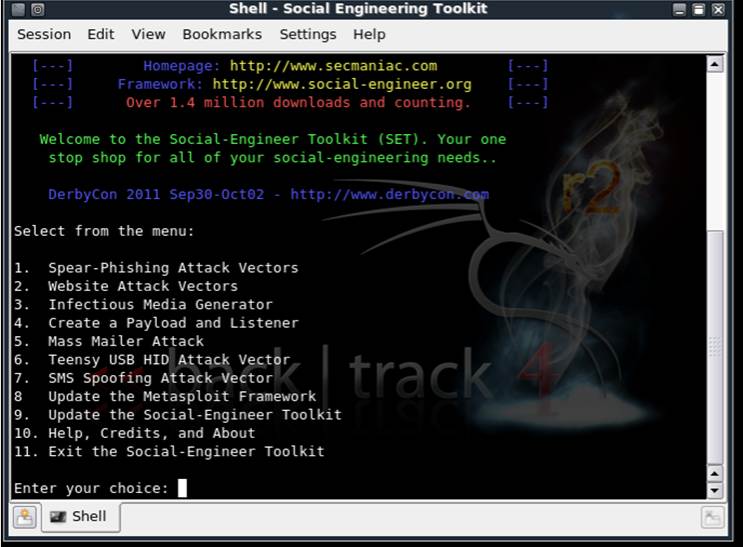
This hacking software is very famous among hackers as it offers many services such as Spear Phishing Attack Vector which lets you hack any social networking account on facebook, twitter, and Gmail, etc.
It is basically used to send a fake login page to the victim so that he or she can enter their id and password on that page and thus getting their password hacked.
The chances are high as it looks exactly like the original login page of that particular social networking site.
The moment when a victim enters the info then that info is automatically transferred to the hacker.
It also has many other tools which you can study thoroughly on the internet.
Apart from Linux, Social-Engineer Toolkit is partially supported on Mac OS X and Windows.

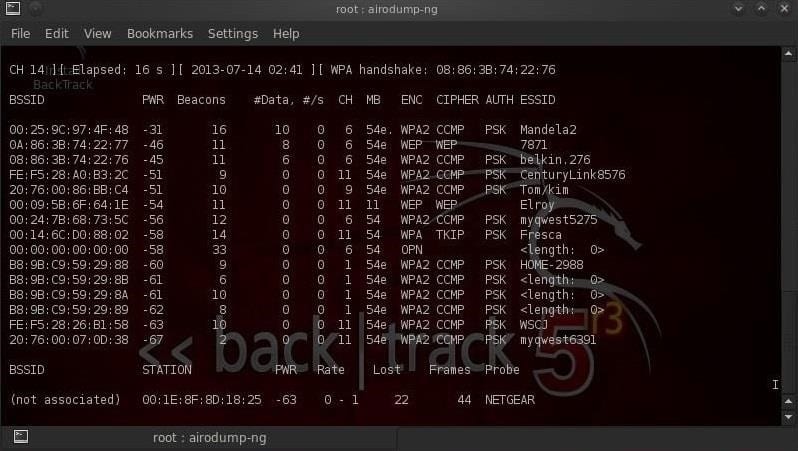
3. Aircrack ng

 Aircrack ng - 5 Best Hacking Tools For Windows 10
This wifi hacking tool is widely used for network monitoring.
It is purely based on the command-line interface.
In AirCrack you will find lots of tools that can be used for tasks like monitoring, attacking, pen testing and cracking.
Without any doubt, this is one of the best network tools you can use to hack wifi. This tool also supports all the versions of wifi such as WPA/WPA2-PSK etc. In short, this tool captures all the packets present in network connection and converts it into the text from which we can see the passwords.

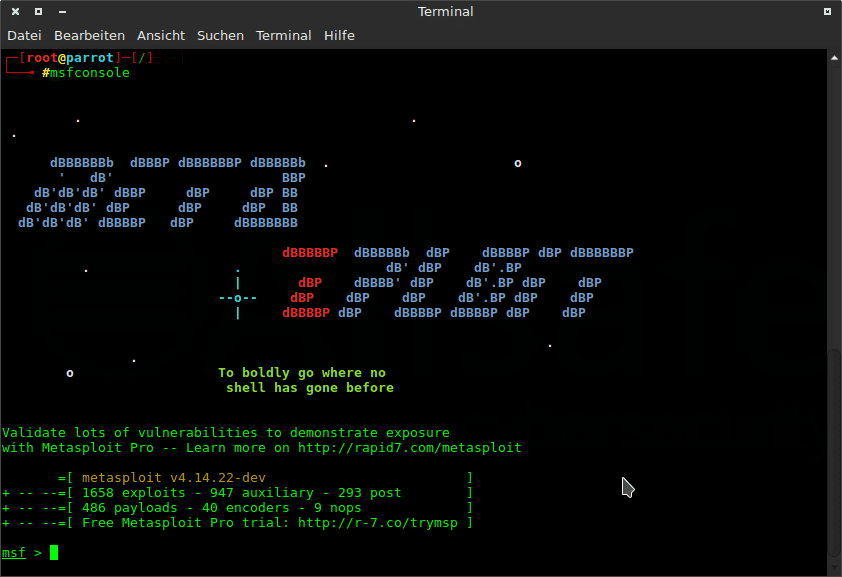
4. Metasploit

metasploit - 5 Best Hacking Tools For Windows 10It’s a forensic tester which is used by governments as well.
Metasploit allows you to remotely control any computer from anywhere and at any time in the world.
It basically works on the principals of trojan.
Now, what is a trojan? It is a software which allows the remote access of any device in the world. For instance, if the trojan is installed on a particular computer then a hacker can access and control that computer from any part of the world.
This software is also used to make trojan for Android devices which you can hack any android device using Metasploit.

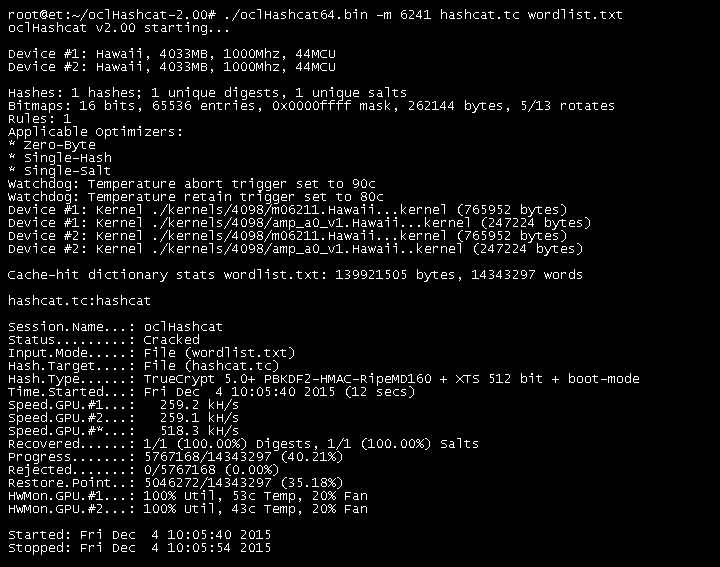
5. OclHashcat

ocl hashcat - 5 Best Hacking Tools For Windows 10
If you love password cracking then this tool is best for you.
While Hashcat is a CPU-based password cracking tool, oclHashcat is its advanced version that uses the power of your GPU.
It is the world’s fastest password hacking tool with the world’s first and only GPU based engine.
It offers a great variety of features such as Straight, Combination, Brute-force, Hybrid Dictionary + mask and Hybrid mask + dictionary.

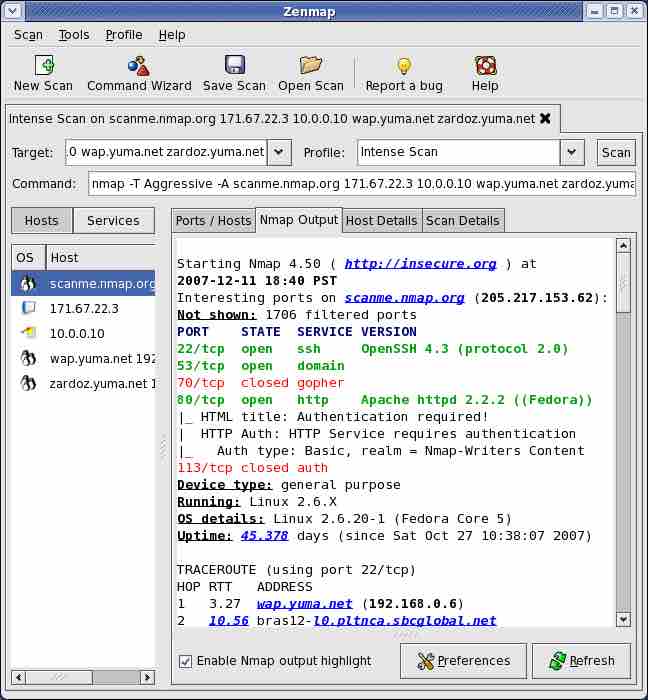
6. Nmap

best hacking tools for windows
Also known as the “network mapper” this tool successfully falls in the category of a port scanning tool.
It’s a completely free and open-source hacking tool particularly used as a port scanner.
Not only that, but it is also used for a wide range of services such as the use of raw IP packets to determine the hosts available on a network, operating systems used by hosts, and the type of firewall used.
Platforms supported by Nmap are Windows, Linux, and OS X. So keep this in mind.

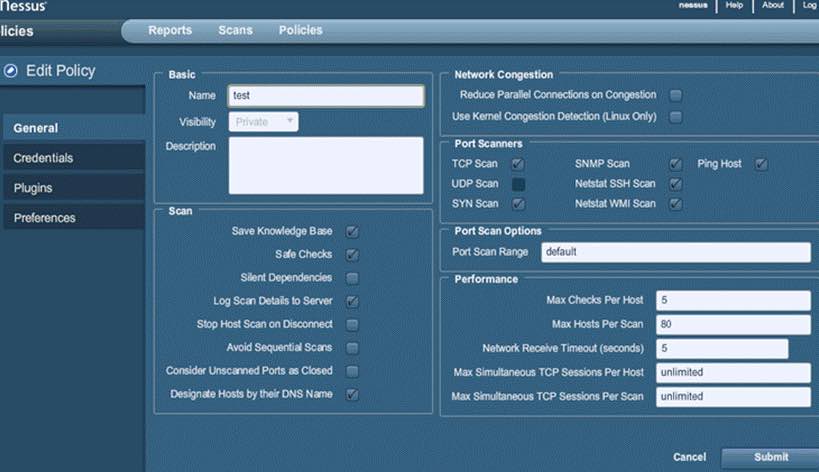
7. Nessus

best hacking tools for windows
Nessus is one of the best free top security tools of 2018. It basically works on the client-server framework.
Developed by Tenable Network Security, this tool is among the most popular vulnerability scanners in the world.
Using this tool one can scan almost every type of vulnerability including remote access, flaw detection, misconfiguration alert, denial of services against TCP/IP stack, preparation of PCI DSS audits, malware detection, sensitive data searches etc.
Apart from this Nessus can also be used to scan multiple networks on IPv4, IPv6, and hybrid networks.
You can even also put it into scheduled scanning mode.
So in our opinion, this tool is worth giving a try.

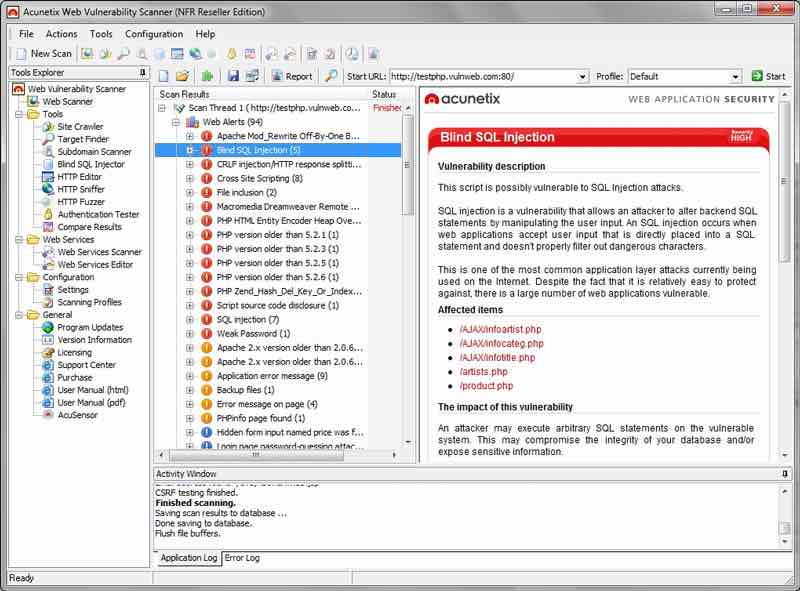
8. Acunetix WVS

best hacking tools for windowsAcunetix is basically a web vulnerability scanner (WVS) that scans and finds out the flaws in a website.
It’s a very useful tool for most of the security researchers worldwide.
This multi-threaded tool mainly crawls a website and finds out malicious Cross-site Scripting, SQL injection, and other vulnerabilities.
It also comes up with the great feature of the Login Sequence Recorder. This feature allows one to access the password-protected areas of websites.
The new AcuSensor technology used in this tool allows you to reduce the false positive rate which is very nice in our opinion.

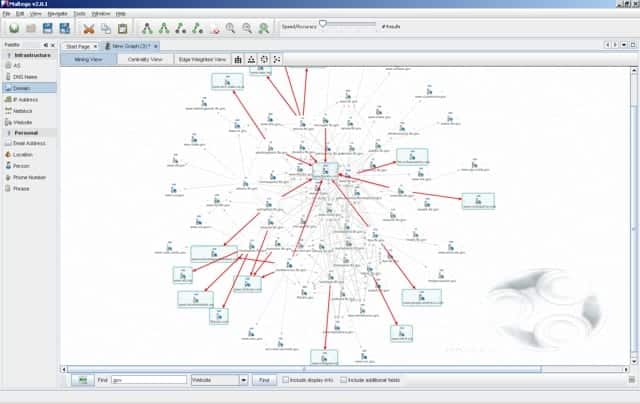
9. Maltego

best hacking tools for windows
Maltego is a great tool for forensics.
It’s an open source forensics platform that offers rigorous mining and information gathering to paint a picture of cyber threats around you.
It also excels in showing the complexity and severity of points of failure in your infrastructure and the surrounding environment.
Used by many hackers this tool is Based on Java, runs in an easy-to-use graphical interface with lots of customization options while scanning.

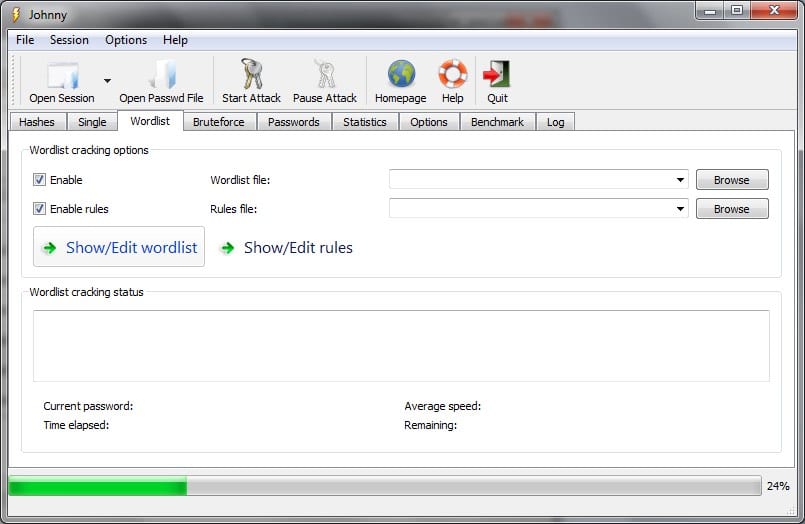
10. John The Ripper

best hacking tools for windows John The Ripper is one of the most preferred and most trusted password cracking tools for hackers.
This is absolutely free and open-source software and distributed in the form of source code which is quite strange.
Although it is primarily written in the C programming language.
Different modules of it grant the ability to crack passwords using different encryption techniques. So if password cracking is your thing then you must go for it.

We will advise our readers, not to opt for any online hacking tools as most of it will get you into trouble by infecting your device with malware or even getting you hacked.
Conclusion
So this was all regarding some of the best hacking tools for windows 10. If you have any better suggestions then do let us know in the comment section below, would love to hear that.

Saturday, 29 February 2020

How To Hack Any Wi-Fi Network With Kali Linux & Aircrack-ng

01:28 1
How To Hack Any Wi-Fi  Network With Kali Linux & Aircrack-ng

How To Hack WPA/WPA2 Wi-Fi With Kali Linux & Aircrack-ng

          Kali Linux can be used for many things, but it probably is best known for its ability to penetration test, or “hack,” WPA and WPA2 networks. There are hundreds of Windows applications that claim they can hack WPA; don’t get them! They’re just scams, used by professional hackers, to lure newbie or wannabe hackers into getting hacked themselves. There is only one way that hackers get into your network, and that is with a Linux-based OS, a wireless card capable of monitor mode, and aircrack-ng or similar. Also note that, even with these tools, Wi-Fi cracking is not for beginners. Playing with it requires basic knowledge of how WPA authentication works, and moderate familiarity with Kali Linux and its tools. If you feel you have the necessary skills, let’s begin:
These are things that you’ll need:
If you have these then roll up your sleeves and let’s see how secure your network is!
          Important notice: Hacking into anyone’s Wi-Fi without permission is considered an illegal act or crime in most countries. We are performing this tutorial for the sake of penetration testing, hacking to become more secure, and are using our own test network and router.
By reading and/or using the information below, you are agreeing to our Disclaimer


Step One:
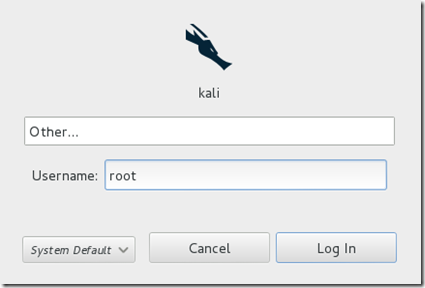
Start Kali Linux and login, preferably as root.
Step 1
Step Two:
Plugin your injection-capable wireless adapter, (Unless your native computer wireless card supports it). If you’re using Kali in VMware, then you might have to connect the card via the imageicon in the device menu.
Step Three:
Disconnect from all wireless networks, open a Terminal, and type airmon-ng
Step 3
This will list all of the wireless cards that support monitor (not injection) mode. If no cards are listed, try disconnecting and reconnecting the adapter (if you’re using one) and check that it supports monitor mode. If you’re not using an external adapter, and you still don’t see anything listed, then your card doesn’t support monitor mode, and you’ll have to purchase an external one (see the link in the requirements). You can see here that my card supports monitor mode and that it’s listed as wlan0.
Step Four:
Type airmon-ng start followed by the interface name of your wireless card. mine is wlan0, so my command would be: airmon-ng start wlan0
Step 4
The “(monitor mode enabled)” message means that the card has successfully been put into monitor mode. Note the name of the new monitor interface, mon0.

EDIT:A bug recently discovered in Kali Linux makes airmon-ng set the channel as a fixed “-1” when you first enable mon0. If you receive this error, or simply do not want to take the chance, follow these steps after enabling mon0:
Type: ifconfig [interface of wireless card] down and hit Enter.
Replace [interface of wireless card] with the name of the interface that you enabled mon0 on; probably called wlan0. This disables the wireless card from connecting to the internet, allowing it to focus on monitor mode instead.
After you have disabled mon0 (completed the wireless section of the tutorial), you’ll need to enable wlan0 (or name of wireless interface), by typing: ifconfig [interface of wireless card] up and pressing Enter.


Step Five:Type airodump-ng followed by the name of the new monitor interface, which is probably mon0.

Step 5
If you receive a “fixed channel –1” error, see the Edit above.
Step Six:
Airodump will now list all of the wireless networks in your area, and a lot of useful information about them. Locate your network or the network that you have permission to penetration test. Once you’ve spotted your network on the ever-populating list, hit Ctrl + C on your keyboard to stop the process. Note the channel of your target network.
step 6

Step Seven:
Copy the BSSID of the target network
Step 7


Now type this command:
airodump-ng -c [channel] --bssid [bssid] -w /root/Desktop/ [monitor interface]Replace [channel] with the channel of your target network. Paste the network BSSID where [bssid] is, and replace [monitor interface] with the name of your monitor-enabled interface, (mon0). The “–w” and file path command specifies a place where airodump will save any intercepted 4-way handshakes (necessary to crack the password). Here we saved it to the Desktop, but you can save it anywhere.

A complete command should look similar this:
airodump-ng -c 10 --bssid 00:14:BF:E0:E8:D5 -w /root/Desktop/ mon0

image
Now press enter.
Step Eight:
Airodump with now monitor only the target network, allowing us to capture more specific information about it. What we’re really doing now is waiting for a device to connect or reconnect to the network, forcing the router to send out the four-way handshake that we need to capture in order to crack the password.
Also, four files should show up on your desktop, this is where the handshake will be saved when captured, so don’t delete them!

But we’re not really going to wait for a device to connect, no, that’s not what impatient hackers do. We’re actually going to use another cool-tool that belongs to the aircrack suite called aireplay-ng, to speed up the process. Instead of waiting for a device to connect, hackers can use this tool to force a device to reconnect by sending deauthentication (deauth) packets to one of the networks devices, making it think that it has to reconnect with the network.

Of course, in order for this tool to work, there has to be someone else connected to the network first, so watch the airodump-ng and wait for a client to show up. It might take a long time, or it might only take a second before the first one shows. If none show up after a lengthy wait, then the network might be empty right now, or you’re to far away from the network.

You can see in this picture, that a client has appeared on our network, allowing us to start the next step.

Step 8
Step Nine:
Leave airodump-ng running and open a second terminal. In this terminal, type this command:
aireplay-ng –0 2 –a [router bssid] –c [client bssid] mon0The –0 is a short cut for the deauth mode and the 2 is the number of deauth packets to send.
-a indicates the access point/router’s BSSID, replace [router bssid] with the BSSID of the target network, which in my case, is 00:14:BF:E0:E8:D5.
-c indicates the client’s BSSID, the device we’re trying to deauth, noted in the previous picture. Replace the [client bssid] with the BSSID of the connected client, this will be listed under “STATION.”
And of course, mon0 merely means the monitor interface, change it if yours is different.

My complete command looks like this:
aireplay-ng –0 2 –a 00:14:BF:E0:E8:D5 –c 4C:EB:42:59:DE:31 mon0

Step 9
Step Ten:
Upon hitting Enter, you’ll see aireplay-ng send the packets. If you were close enough to the target client, and the deauthentication process works, this message will appear on the airodump screen (which you left open):
image

step 10
This means that the handshake has been captured, the password is in the hacker’s hands, in some form or another. You can close the aireplay-ng terminal and hit Ctrl + C on the airodump-ng terminal to stop monitoring the network, but don’t close it yet just incase you need some of the information later.
If you didn’t receive the “handshake message,” then something went wrong in the process of sending the packets. Unfortunately, a variety of things can go wrong. You might just be too far away, and all you need to do is move closer. The device you’re attempting to deauth might not be set to automatically reconnect, in which case you’ll either have to try another device, or leave airodump on indefinitely until someone or something connects to the network. If you’re very close to the network, you could try a WiFi spoofing tool like wifi-honey, to try to fool the device into thinking that you’re the router. However, keep in mind that this requires that you be significantly closer to the device than the router itself. So unless you happen to be in your victim’s house, this is not recommended.
Do note that, despite your best efforts, there are many WPA networks that simply can’t be cracked by these tools. The network could be empty, or the password could be 64 characters long, etc.
Step 11:
This concludes the external part of this tutorial. From now on, the process is entirely between your computer, and those four files on your Desktop. Actually, it’s the .cap one, that is important. Open a new Terminal, and type in this command:
aircrack-ng -a2 -b [router bssid] -w [path to wordlist] /root/Desktop/*.cap

-a is the method aircrack will use to crack the handshake, 2=WPA method.
-b stands for bssid, replace [router bssid] with the BSSID of the target router, mine is 00:14:BF:E0:E8:D5.
-w stands for wordlist, replace [path to wordlist] with the path to a wordlist that you have downloaded. I have a wordlist called “wpa.txt” in the root folder.
/root/Desktop/*.cap is the path to the .cap file containing the password. The means wild card in Linux, and since I’m assuming that there are no other .cap files on your Desktop, this should work fine the way it is.

My complete command looks like this:
aircrack-ng –a2 –b 00:14:BF:E0:E8:D5 –w /root/wpa.txt  /root/Desktop/*.cap
image

Now press Enter.
Step 12:
Aircrack-ng will now launch into the process of cracking the password. However, it will only crack it if the password happens to be in the wordlist that you’ve selected. Sometimes, it’s not. If this is the case, you can try other wordlists. If you simply cannot find the password no matter how many wordlists you try, then it appears your penetration test has failed, and the network is at least safe from basic brute-force attacks.
Cracking the password might take a long time depending on the size of the wordlist. Mine went very quickly.

If the phrase is in the wordlist, then aircrack-ng will show it too you like this:

image

The passphrase to our test-network was “notsecure,” and you can see here that it was in the wordlist, and aircrack found it.
If you find the password without a decent struggle, then change your password, if it’s your network. If you’re penetration testing for someone, then tell them to change their password as soon as possible.

Please use this information only in legal ways
you can Free Download Kali Linux from this link as i shared in my blog

click here to DOWNLOAD 32 bit ISO FILE